
Module
Users, roles and access — Everyone sees exactly their own book, and nothing else.
Without it
What this costs you today.
Shared logins are the default in small practices and a serious problem in growing ones. When everyone is the same user, the audit trail says nothing and the leaver still has access.
What it does
Business rules, not adjectives.
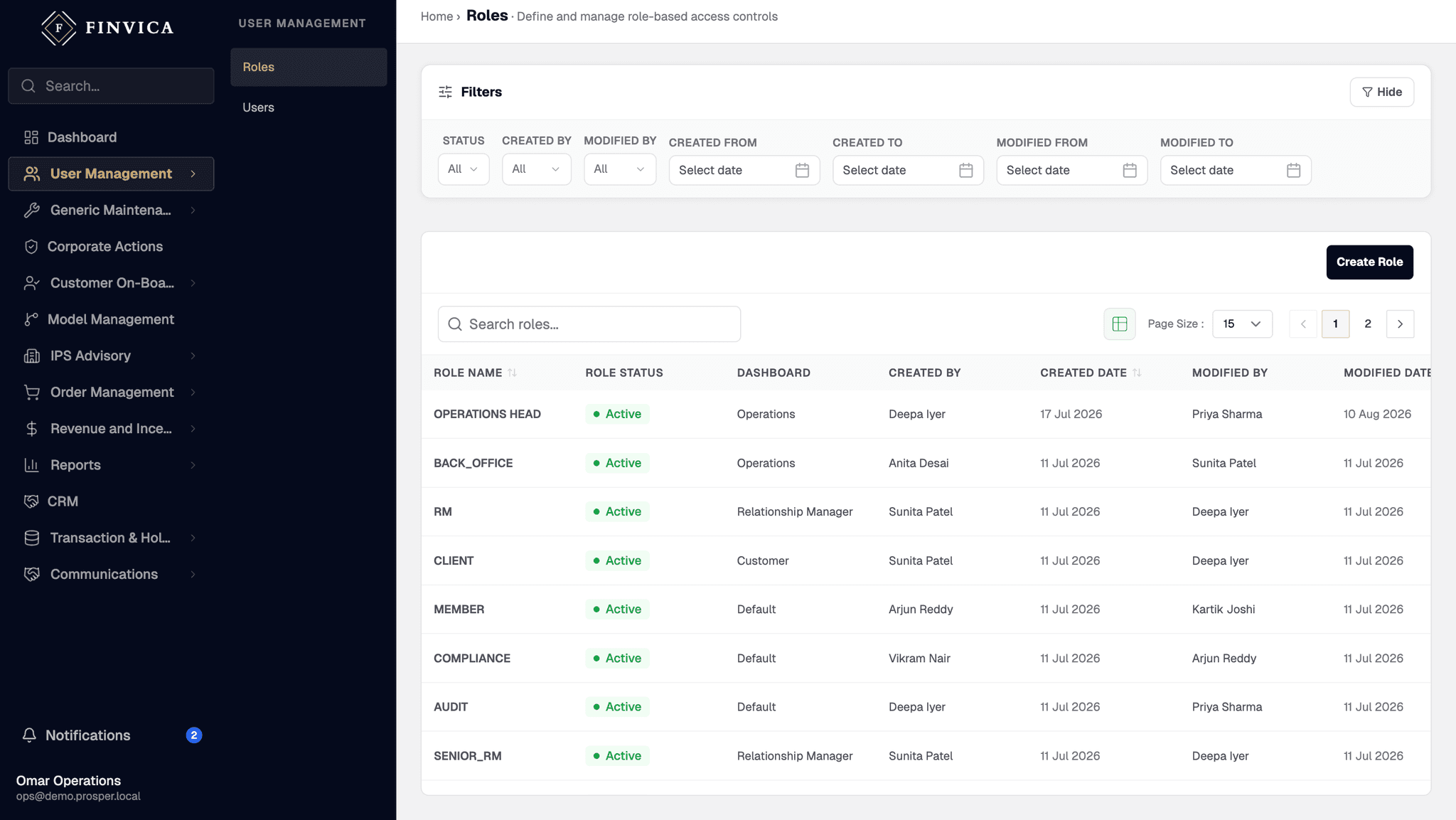
Visibility follows role and position in the four-level hierarchy.
A relationship manager sees their own clients; a branch head sees the branch.
Sign-in can run through your existing identity provider, so access ends when employment does.
Every sensitive action writes an immutable audit entry against the user who took it.
Maker-checker applies where a second pair of eyes is warranted.
On screen
Users, roles and access, as it ships.
Coverage
Which product classes this covers.
Governs every module. There is no screen that ignores the hierarchy.
How it works
Three or four steps, in order.
Define the role
What this kind of user can see and do.
Place them in the hierarchy
Which part of the book is theirs.
Access follows
Across every module, without per-screen configuration.
- Google Workspace
- Microsoft Entra ID
- LDAP / AD
What users, roles and access connects to
Questions about users, roles and access.
Can we use our own identity provider?
Yes. Sign-in runs through your existing directory, so joiners and leavers are handled where you already handle them.
Is there an audit trail?
Yes — sensitive actions write an immutable entry recording who did what and when, designed to be produced for a regulator.